
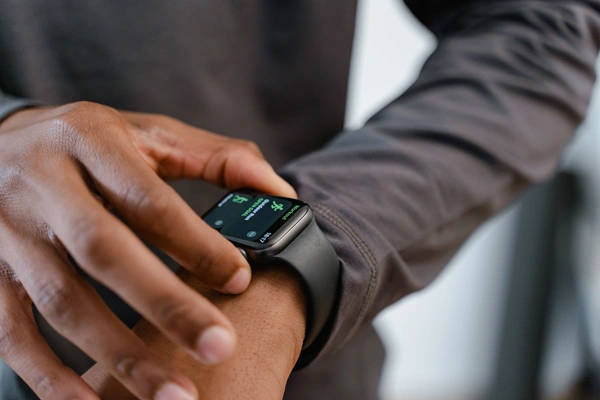
In the hyper-connected architecture of the modern corporate landscape, cognitive focus has become a premium resource. Professionals across every sector—from software engineers and financial analysts to healthcare operators and logistics managers—face a continuous, unrelenting influx of digital communication. Emails, workspace chats, calendar reminders, project management pings, and administrative alerts constantly fight for attention.
Historically, professionals relied on smartphones and multi-monitor desktop configurations to navigate this data stream. However, this strategy has reached a point of diminishing returns. The smartphone, once celebrated as the ultimate portable productivity engine, has devolved into a primary vector of cognitive fragmentation. The physical action of picking up a mobile device to verify an incoming notification frequently leads to accidental browsing, media consumption, and attention traps that derail productive focus.
To combat this, a structural shift is occurring toward minimalist wearable hardware. While smartwatches capture headlines with their high-resolution screens and intensive computing capabilities, smart bands (fitness trackers) have quietly emerged as a powerful tool for everyday productivity. By prioritizing essential alerts, non-visual interactions, lightweight ergonomics, long-lasting batteries, and targeted biometric feedback, the humble smart band functions as a highly efficient tool for focus and time management.
This comprehensive guide explores how smart bands help professionals optimize their everyday workflows, protect their attention spans, and maintain the physical energy required for long-term career performance.
1. The Anatomy of Frictionless Focus: Micro-Triage and Notification Filtering
At its core, productivity is not about processing more information; it is about establishing strict boundaries to preserve deep focus. Smart bands achieve this by shifting communication into a model known as micro-triage.
    [ UNFILTERED DIGITAL STREAM ]
 (Slack, Emails, Calls, System Alerts)
                  │
                  ▼
   ┌─────────────────────────────┐
   │    SMART BAND FIREWALL      │
   ├─────────────────────────────┤
   │ ∙ High-Priority Whitelisting│
   │ ∙ Low-Profile Screen Matrix │
   │ ∙ Micro-Haptic Signatures   │
   └──────────────┬──────────────┘
                  │
        ┌─────────┴─────────┐
        ▼                   ▼
 [ Urgent Event ]   [ Non-Urgent Alert ]
  (Glance & Act)     (Drop Wrist / Ignore)
Breaking the Smartphone Loop
Every time a professional picks up their smartphone to check a notification, they invite distraction. The user opens the phone to view a work text, notes an unread badge on a personal application, and spends fifteen minutes scrolling away from their primary task. This phenomenon breaks cognitive momentum, requiring an average of 23 minutes for a worker to return to their original task level.
A smart band interrupts this loop. Because the display geometry of a smart band is narrow and minimalist, it cannot display long threads, heavy graphic elements, or complex application interfaces. It presents information in its rawest, most efficient form: sender, subject line, and urgency level.
Micro-Haptic Cognitive Coding
Advanced smart bands allow professionals to customize haptic patterns (vibrations) for specific contact groups or internal applications. By mapping distinct vibration cadences to different communication channels, a user can instantly discern the nature of an alert without even looking at the screen:
- Pattern A (Long, continuous vibration): An incoming call from an essential client or supervisor.
- Pattern B (Double pulse): A critical milestone alert from a project management tool.
- Pattern C (Single pulse): A standard internal text or status update.
This tactile messaging system allows professionals to maintain physical focus on their work. If the wrist registers a low-priority pattern, the user can ignore it and maintain focus, completely skipping the distraction of checking a phone or screen.
2. Temporal Mastery: Wrist-Based Time-Blocking and Tactical Scheduling
Time management is the foundation of execution. While desktop calendars are ideal for macro-planning, they fail to provide the immediate, tactile reinforcement needed to navigate an active workday. Smart bands bridge this gap by placing scheduling constraints directly onto the user’s wrist.
Frictionless Pomodoro and Deep Work Sprints
The Pomodoro Technique—working in focused blocks of 25 minutes followed by 5-minute rest intervals—is a proven method for maintaining high cognitive output. However, managing these blocks using open browser tabs or mobile apps can introduce further distractions.
Smart bands offer an elegant, closed-loop alternative. By utilizing localized timer applications, a professional can launch focus sprints right from their wrist.
- Silent Execution: Unlike desk clocks or phone alarms that disrupt open-plan office spaces, a smart band uses silent haptic alarms to signal transitions.
- Tactile Boundaries: The physical vibration against the skin acts as an immediate psychological boundary, signaling the brain to shift gears without the need for visual confirmation.
Keeping Meetings on Schedule
In corporate environments, meetings often run over schedule, disrupting subsequent commitments. Smart bands help prevent this through discrete chronological pacing. By pinning a calendar widget to the primary dashboard, a professional can check the time remaining in an open session with a subtle movement of the wrist. This subtle checking mechanism is far more professional during high-level presentations or client discussions than checking a wall clock or opening a smartphone.
3. The Energy Management Engine: Sustaining Mental Performance via Biometrics
High professional output is inextricably linked to physical stamina. When a worker experiences physical fatigue, dehydration, or prolonged stress, their executive function drops, leading to errors and indecision. Smart bands serve as continuous wellness monitors, managing the biological inputs that drive creative and analytical output.
       ┌────────────────────────────────────────────────────────┐
       │             BIOMETRIC STAMINA OPTIMIZATION             │
       ├────────────────────────────────────────────────────────┤
       │ 🏃 Sedentary Alerts  │ Promotes brief movement breaks   │
       │                      │ to maintain metabolic blood flow.│
       ├──────────────────────┼──────────────────────────────────┤
       │ 🫁 Stress Detection  │ Identifies heart rate changes    │
       │                      │ and prompts breathing breaks.    │
       ├──────────────────────┼──────────────────────────────────┤
       │ 💤 Sleep Metrics     │ Tracks sleep stages to evaluate  │
       │                      │ daily cognitive readiness.       │
       └──────────────────────┴──────────────────────────────────┘
Mitigating Sedentary Fatigue
Extended periods at a computer desk can cause poor blood circulation, muscle stiffness, and physical fatigue. Smart bands address this issue via sedentary alert loops. If the onboard accelerometer detects zero physical displacement for over 50 minutes, the band delivers a gentle physical prompt.
This isn’t merely an invitation to exercise; it is an analytical intervention designed to refresh cerebral blood flow. Taking a short, 60-second walk to grab water or stretch lowers physical fatigue and restores focus, helping you stay productive through long afternoons.
Active Stress Regulation
High-stakes professional situations—such as pitch presentations, complex negotiations, or critical system failures—can trigger subconscious stress responses. Smart bands continually monitor stress levels by analyzing Heart Rate Variability (HRV).
When the band identifies an extended period of elevated stress alongside physical inactivity, it can prompt the user to engage in a brief, structured breathing exercise. Taking a moment for paced breathing resets the sympathetic nervous system, lowering stress and helping professionals maintain a calm, methodical approach to unexpected challenges.
Cognitive Readiness Assessment
Success during demanding working hours is heavily influenced by the quality of the preceding sleep cycle. Modern smart bands track deep, light, and REM sleep cycles to provide an overnight baseline.
By reviewing this morning metric, a professional can gauge their cognitive readiness for the day. If the band reveals low restorative sleep, the professional can adjust their schedule, tackling demanding strategic work early in the morning and deferring routine tasks to later in the day to optimize their mental energy.
4. Operational Ergonomics: Why Smart Bands Outperform Smartwatches in the Workplace
When selecting a wearable device for professional environments, many assume that a more expensive smartwatch is the superior choice. However, when evaluated across practical everyday workplace criteria, the streamlined design of a smart band often delivers better utility.
| Productivity Dimension | Enterprise Smartwatch | Productivity Smart Band |
|---|---|---|
| Battery Autonomy | 18 to 48 Hours (Requires daily charging) | 7 to 21 Days (Minimal maintenance) |
| Physical Profile | Bulky, heavy, can catch on shirt sleeves | Ultra-slim, lightweight, matches all apparel |
| Keyboard Ergonomics | Can press against wrists during typing | Sits flat against the skin, zero typing interference |
| Cognitive Cleanliness | High distraction potential (Apps, web browsing) | Low distraction potential (Focused, text-only alerts) |
| Financial Entry Point | Significant capital investment ($300 – $800+) | Accessible team deployment ($40 – $120) |
The Power of Multi-Week Battery Life
The most advanced safety or productivity feature is useless if the device is sitting on a charging cradle. Most flagships smartwatches require daily charging, meaning users frequently leave them behind or forget them on an office desk overnight.
Smart bands operate on ultra-efficient, low-power displays and specialized micro-kernels. A single charge can easily power a smart band for up to two full weeks. This multi-week battery life ensures a continuous, reliable safety net and tracking loop that requires minimal attention from the user.
Ergonomic Typing Comfort
For professionals who spend hours typing on mechanical keyboards or laptops, physical wrist ergonomics are critical. Standard smartwatches feature heavy glass displays and thick sensor chassis that can rub against computer surfaces, causing wrist fatigue.
Smart bands feature a thin, curved design that mirrors the natural anatomy of the wrist. They rest flat against the skin and slip under tailored dress shirts easily, providing comfort across long working sessions.
5. Daily Micro-Automations: Streamlining Corporate Workflows
Modern smart bands go beyond notification handling to act as active security credentials and digital keys, helping to streamline common workplace interactions.
 ┌────────────────────────────────────────────────────────┐
 │              CORPORATE MICRO-AUTOMATIONS               │
 ├────────────────────────────────────────────────────────┤
 │ 🔑 Proximity Unlock  │ Automatically unlocks your Mac   │
 │                      │ or PC as you approach your desk. │
 ├────────────────────┼────────────────────────────────────┤
 │ 💳 Secure NFC        │ Handles tap-and-go public transit│
 │    Transactions     │ and cafeteria payments instantly.  │
 ├────────────────────┼────────────────────────────────────┤
 │ 🎙️ Rapid Task Logs   │ Transcribes voice task reminders │
 │                      │ directly into your to-do lists.    │
 └────────────────────┴────────────────────────────────────┘
Proximity Security and Identity Verification
In secure corporate offices, workers are required to lock their computer terminals every time they step away from their desk. Returning to the workstation means repeatedly entering passwords or scanning smartcards throughout the day.
By leveraging secure Bluetooth Proximity protocols, a smart band can handle this interaction automatically. As the user approaches their workstation, the computer identifies the encrypted cryptographic signature of the band and unlocks the terminal instantly. When the worker steps away, the connection drops, locking the computer automatically and protecting enterprise data without manual hassle.
Contactless NFC Transactions
For professionals on the move, speed is essential. Integrated Near-Field Communication (NFC) chips turn a smart band into a secure payment tool. Whether tapping through public transit gates, accessing secure office buildings, or grabbing lunch, the user can handle transactions with a quick wave of their wrist, keeping their hands free and eliminating the need to search for cards or phones.
6. Implementation Strategy: Configuring Your Smart Band for Maximum Efficiency
To get the most productivity value out of a smart band, avoid default consumer settings. Use this targeted setup checklist to optimize your device for workplace efficiency:
- Enforce the 5-Application Notification Limit: Block notifications from all entertainment, social media, and non-essential tools. Limit wrist alerts to your core workplace communication apps, direct client channels, and your calendar.
- Activate Smart Focus Scheduling: Program your smart band to enter a muted focus profile during your peak creative hours. During these windows, choose to block all notifications except emergency phone calls, allowing you to focus entirely on high-value work.
- Coordinate Haptic Triggers: Spend ten minutes customizing distinct vibration patterns for your most frequent alerts. Learn to recognize these tactile signatures so you can triage incoming information without needing to look away from your work.
- Use Strategic Watch Faces: Avoid busy, overly visual watch faces. Opt for a clean design that clearly presents your next calendar commitment, local battery percentage, and your current stress or energy metrics.
Conclusion
Everyday workplace productivity isn’t defined by major structural changes; it is built through the accumulation of small, efficient habits. By removing the constant distraction of checking a phone, automating routine task logs, and providing clear feedback on your physical energy levels, a smart band serves as an excellent operational assistant. Moving your basic digital tracking to your wrist allows you to stay connected to your team’s core updates while protecting the deep focus required to advance your career.