
The modern family structure is facing a unique generational challenge. Today’s “sandwich generation”—adults who find themselves simultaneously caring for growing children and aging parents—are managing a delicate balancing act. How do you grant autonomy to an energetic seven-year-old walking home from school while ensuring they are protected? How do you respect the dignity and independence of a seventy-five-year-old grandmother who insists on living alone, while still safeguarding her against health emergencies or unexpected falls?
The answer increasingly rests on the wrist. Smart wearables specifically engineered for children and senior citizens have transformed from expensive novelties into essential household infrastructure. By providing real-time location tracking, proactive health monitoring, fall detection, and instant emergency communications, these devices bridge the gap between safety and freedom.
This comprehensive guide explores how wearable technology serves as a digital safety net, providing unparalleled peace of mind for families navigating the complexities of multi-generational care.
1. The Vulnerable Spectrum: Why General Smartwatches Fall Short
To understand the value of dedicated wearables for children and seniors, one must first recognize the shortfalls of mainstream devices like the standard Apple Watch, Samsung Galaxy Watch, or generic fitness bands. Standard flagship wearables are built primarily for tech-savvy adults. They prioritize high-density notification delivery, comprehensive productivity applications, complex sub-menus, and aesthetic luxury.
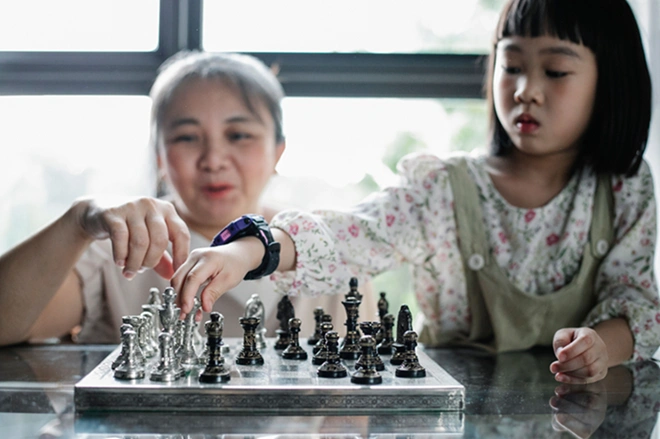
For the youngest and oldest members of our communities, this architecture poses three major challenges:
- The Intricacy Factor: Multi-layered menus, swipe gestures, and microscopic touch targets can frustrate a senior dealing with arthritis or mild cognitive decline, as well as a young child who has not yet mastered complex user interfaces.
- Digital Vulnerability: A standard smartwatch paired with a smartphone unlocks a gateway to unrestricted internet access, web browsing, social media, spam calls, and unsolicited messaging. For children, this introduces a host of digital safety risks.
- Battery Fragility: Flagship adult smartwatches packed with power-hungry microprocessors typically demand daily charging. Vulnerable demographics require predictable, long-lasting batteries so that the device doesn’t go dark during a crucial moment of need.
Dedicated youth and senior wearables strip away the bloat. They lock down security, emphasize long-lasting battery configurations, optimize font visibility, and replace complex software navigations with unambiguous, hardware-driven functions like dedicated SOS panic buttons.
2. Guarding the Playground: Smart Wearables for Kids
Childhood development is defined by an expanding need for exploration. Yet, the physical world introduces safety hazards, and the digital world introduces structural distractions. Parents often reach a crossroads: they need a reliable line of communication with their child, but they are rightfully hesitant to give them a smartphone, which acts as a portal to screen addiction, online grooming, and cyberbullying.
Kid-focused smartwatches resolve this dilemma by delivering the functional connectivity of a cellular phone within a safe, parent-monitored ecosystem.
       [Parent Smartphone App]
                 │
        (Over-the-Air Controls)
                 │
                 ▼
    ┌─────────────────────────┐
    │  KIDS SMARTWEARABLE    │
    ├─────────────────────────┤
    │ ∙ Real-Time GPS Tracking│
    │ ∙ Geofenced Safe Zones  │
    │ ∙ Whitelisted Contacts  │
    │ ∙ Hardware SOS Button   │
    │ ∙ Distraction-Free Mode │
    └─────────────────────────┘
Real-Time GPS Tracking and Pagar Maya (Geofencing)
At the foundation of child safety wearables is precision location tracking. Using an array of global positioning systems (GPS, GLONASS, and cell-tower triangulation), these watches broadcast real-time location updates to a secure parent application.
The true innovation, however, lies in geofencing (digital boundaries). Parents can draw virtual parameters around crucial geographic coordinates—such as the child’s school, a neighborhood park, or a grandparent’s residence. The moment the child crosses these predefined boundaries, the system dispatches an instant push notification to the parent’s phone. This allows parents to verify that their child has arrived safely at their destination without resorting to constant, anxiety-inducing text message checks.
Controlled Environments: Whitelisted Contacts Only
Unlike standard mobile numbers that are prone to telemarketing pings and wrong numbers, youth smartwatches utilize strict inbound and outbound firewalls. Through the parent-facing application, guardians construct an absolute whitelist of approved contacts (e.g., Mom, Dad, Siblings, Grandparents, and trusted babysitters).
Any incoming voice call or text message from an unverified number is instantly rejected by the watch’s internal firewall without ringing or distracting the child. This ensures a clean, isolated communication circle that shields minors from external digital harassment.
The Emergency SOS Button
If a child gets lost in a crowded shopping mall, feels threatened by a stranger, or suffers an injury on the playground, cognitive panic makes navigating a screen nearly impossible.
Youth wearables address this via a tactile, physical SOS hardware button. By pressing and holding this dedicated button for a few seconds, the watch bypasses standard operations to trigger a sequence of automated protocols:
- It instantly broadcasts the child’s live location coordinates to all designated guardians.
- It initiates an sequential outbound emergency phone call to primary care contacts until someone answers.
- In high-end models, it quietly activates the onboard microphone, allowing the parent to listen to ambient surroundings and evaluate the environmental context.
Balancing Focus: Class Mode (Distraction-Free Boundaries)
A frequent point of friction for schools is the introduction of consumer technology into the classroom. To satisfy academic guidelines, modern children’s wearables include a remote operational override widely known as Class Mode or Schooltime Mode.
Parents can program scheduling blocks that sync perfectly with the child’s school calendar. During these specific windows, the watch locks its interface entirely, transforming into a simple timepiece. Touch functionalities, games, and casual messaging are deactivated, preventing classroom distractions. Crucially, the background GPS tracking and emergency SOS functionalities remain running, ensuring the safety net is never compromised.
The 2026 Competitive Landscape: Top Kids’ Models Compared
Navigating the child-wearable marketplace requires understanding the subtle shifts in design priorities across different brands. The market features diverse options tailored to varying developmental stages:
- Gabb Watch 3e: The Simplicity Champions: Devices like the Gabb Watch 3e strip away all extraneous features, trading cameras and complex apps for a minimalist digital pet interface that encourages basic daily steps while maintaining rock-solid GPS and calling features.
- Verizon Gizmo Watch 3 Adventure: The Balanced Trackers: Mid-tier devices like the Verizon Gizmo Watch 3 Adventure balance cellular carrier reliability with strict parental oversight, making them a popular first step for early elementary students.
- TickTalk 5: The Multimedia Innovators: For older children or tweens needing deeper expression, watches like the TickTalk 5 introduce high-definition video calling, robust AI-driven location algorithms, and managed music streaming, offering independent styling without exposing the child to open web access.
- Fitbit Ace LTE: The Gamified Fitness Pioneers: Google’s Fitbit Ace LTE combines active movement tracking with immersive, interactive games that unlock only when physical movement milestones are achieved, providing a screen-time alternative that gets kids active.
3. Protecting the Golden Years: Smart Wearables for Seniors
As our global population ages, the desire for “aging in place”—maintaining residence in one’s own home rather than moving into an assisted living facility—has surged. However, solo living poses substantial risks for older adults. Medical emergencies, cardiac anomalies, wandering triggered by cognitive conditions, and sudden physical collapses require swift intervention to prevent long-term complications.
Senior-centric smart wearables act as a non-intrusive lifestyle companion that preserves a user’s autonomy while giving family members continuous health transparency.
          [Senior Wearable Sensors]
      (Accelerometers + Gyroscopes + Photoplethysmography)
                         │
        ┌────────────────┴────────────────┐
        ▼                                 ▼
[Critical Incidents]            [Health Trends]
 ∙ Hard/Soft Falls               ∙ Heart Rate Variations
 ∙ Manual SOS Triggers           ∙ Oxygen Saturation (SpO2)
 ∙ Spatial Wandering             ∙ Medication Adherence
        │                                 │
        ▼                                 ▼
[24/7 Monitoring Center]        [Caregiver Dashboard App]
 ∙ Emergency Dispatch            ∙ Long-Term Insights
 ∙ Family Notification           ∙ Proactive Check-Ins
Fall Detection (The Golden Hour of Emergency Intervention)
According to public health data, falls represent the primary cause of both fatal and non-fatal injuries among older adults. The primary danger of a fall isn’t always the initial impact; it is the subsequent period spent immobilized on the floor without food, water, or medical care—a situation known as the “long lie.”
Modern senior smartwatches employ specialized Automatic Fall Detection algorithms. By continually analyzing data from built-in high-g accelerometers and gyroscopes, the wearable can identify the distinct signature of a fall: a sudden acceleration toward the ground, followed by an immediate deceleration impact, and a subsequent lack of physical motion.
If a fall is recorded, the watch initiates an audible, high-volume countdown. If the senior is conscious and uninjured, they can manually dismiss the prompt. However, if they remain motionless for more than 30 to 60 seconds, the watch assumes a state of incapacitation and automatically places an emergency call to pre-configured family contacts or a 24/7 professional response center, transmitting the user’s location via an integrated loudspeaker.
Proactive Health Architecture: Beyond Simple Step Counting
While youth watches emphasize communication and basic activity gamification, senior wearables operate as miniature diagnostic clinics. By utilizing advanced optical sensors (photoplethysmography), these devices offer a window into vital health metrics:
- Heart Rate Variability and Arrhythmia Tracking: Continuous tracking monitors for sudden spikes, drops, or irregular heart rhythms (such as signs of atrial fibrillation), giving family members early warning signs before a chronic condition escalates.
- Blood Oxygen Saturation (SpO2): Real-time monitoring of blood oxygen status is useful for managing chronic respiratory conditions or identifying early signs of illness.
- Medication Reminders: For seniors managing complex drug regimens, smartwatches can present persistent visual prompts and vibration alerts that require confirmation, ensuring critical doses are rarely missed.
Dementia and Wandering Management
For families caring for individuals exhibiting early to mid-stage Alzheimer’s or general dementia, wandering is a source of constant worry. Senior smartwatches address this via specialized location tracking.
Caregivers can establish wide geofences around a neighborhood block or senior community. If the individual wanders outside their familiar perimeter, the device immediately alerts the care team. High-end medical smartwatches also feature a remote “location ping” feature, allowing family members to locate a disoriented loved one immediately through an encrypted tracking dashboard.
The Dilemma: Consumer Electronics vs. Medical Alert Ecosystems
When choosing a senior wearable, families must decide between two primary approaches:
| Dimension | Consumer Flagships (e.g., Apple Watch Series 10 / Galaxy Watch 7) | Dedicated Medical Alert Watches (e.g., Medical Guardian MGMove / Bay Alarm Medical SOS) |
| :— | :— | :— |
| Primary Audience | Tech-savvy, active older adults already inside an ecosystem. | Vulnerable seniors, individuals prone to falls, or those with cognitive decline. |
| Emergency Endpoint | Public emergency services dispatch or personal emergency contacts. | Dedicated 24/7 human monitoring stations trained in triage. |
| Monthly Cost | Standard cellular carrier data add-on (~$10/month). | Professional monitoring subscription fees (~$30–$50/month). |
| Interface Style | Multi-functional app suites with rich, high-resolution screens. | Simplified, large-font icon displays focusing on safety commands. |
| Battery Strategy | Fast daily charging required due to heavy app loads. | Optimized battery lifespans aiming for multi-day reliability. |
For an independent older adult who regularly uses a smartphone, an Apple Watch SE or Samsung Galaxy Watch provides comprehensive fall detection without the social stigma sometimes associated with legacy medical hardware.
Conversely, for an older adult who does not use smartphones or requires structured human support, a dedicated system like the Medical Guardian MGMove or Bay Alarm Medical SOS Smartwatch delivers simple, direct access to a round-the-clock emergency dispatch team at the press of a single button.
4. The Psychological Return: Peace of Mind for Caregivers
While the physical benefits of smart wearables are easily measured in lines of data, GPS coordinates, and rapid medical responses, their profound psychological value is often overlooked. Wearable technology fundamentally shifts the dynamic of caregiving from reactive crisis management to proactive, calm oversight.
Eliminating the Friction of Surveillance
No child enjoys feeling micromanaged, and no parent or grandparent wants their personal freedom restricted. Constant phone calls checking up on a family member’s whereabouts can introduce friction into family relationships.
A smartwatch acts as a passive, quiet observer. It resides on the wrist, requiring zero conscious effort from the wearer during their daily routine. The caregiver can simply check their smartphone app to confirm their family members are safe, eliminating the need for invasive check-ins.
       [ Old Caregiving Paradigm ]              [ Smart Wearable Paradigm ]

          Anxious "Check-In" Calls                 Passive Digital Safety Net
         ┌────────────────────────┐                ┌────────────────────────┐
         │ Caregiver dials phone   │                │ Caregiver checks app   │
         │ to confirm safety.      │                │ dashboard quietly.     │
         └───────────┬────────────┘                └───────────┬────────────┘
                     │                                         │
            (Intensive Interruption)                   (Zero Interruption)
                     │                                         │
         ┌───────────▼────────────┐                ┌───────────▼────────────┐
         │ Senior/Child feels     │                │ Wearer maintains full  │
         │ monitored & managed.   │                │ autonomy & freedom.    │
         └────────────────────────┘                └────────────────────────┘
Mitigating the “What-If” Cycle
For members of the sandwich generation, standard working hours are often interrupted by background worries: Did my child make it off the school bus safely? Did my father take his morning heart medication? Did my mother slip in the kitchen while making lunch?
This persistent ambient stress can affect workplace productivity and personal well-being. Knowing that a wearable will automatically broadcast an alert if a critical event occurs allows caregivers to focus on their daily responsibilities, confident that they will be notified if help is needed.
5. Implementation Guide: Choosing and Setting Up Your Family Safety Net
Deploying a smart wearable solution requires careful consideration of device specifications and clear communication with the person who will be wearing it. To maximize the long-term utility of the investment, follow these essential steps:
Step 1: Evaluate the Connectivity Infrastructure
Smartwatches require network connectivity to transmit GPS data and place emergency voice calls. When selecting a device, carefully review the underlying network architecture:
- Standalone Cellular (LTE): Look for watches with an integrated eSIM. These operate independently of a smartphone, meaning a child or senior can leave the house with just their watch and remain fully connected.
- Carrier Compatibility: Confirm whether the watch is locked to a specific telecom provider or if it allows you to choose your own network plan. Many kid-focused wearables include pre-configured cellular service packages for a simple monthly fee.
Step 2: Navigate Contentious Conversations with Empathy
Introducing a tracking or safety device can sometimes trigger resistance. A stubborn tween might view the device as childish, while a fiercely independent senior might see it as an unwelcome sign of declining capability.
- For Kids: Focus on the features that appeal to them. Frame the smartwatch as a tool of independence—a grown-up privilege that grants them the freedom to walk to a friend’s house or play outside without a parent standing over them. Highlight fun, interactive features like step challenges, customizable watch faces, or basic photo-sharing capabilities.
- For Seniors: Focus on protecting their lifestyle autonomy. Frame the wearable not as a monitor for their vulnerabilities, but as an insurance policy that allows them to live independently in their own home for as long as possible. Emphasize that the watch helps prevent an unwanted move to an assisted living facility by ensuring help is always within reach.
Step 3: Implement an Onboarding Routine
The most advanced safety sensor provides no protection if the device is left sitting on a bedside table with a dead battery. Establish clear, repeatable habits from day one:
- Designate a Docking Station: Place the charging cradle in a highly visible, central location, such as a kitchen counter or a entryway key table.
- Create a Charging Schedule: Encourage the wearer to charge the device at the same time every day—such as during morning showers or right before bedtime—to ensure it becomes an automatic part of their daily routine.
- Perform Regular System Tests: Once a month, use the companion app to verify GPS calibration, check battery health trends, and update the primary emergency contact lists.
6. Looking Forward: The Intelligent Safety Nets of Tomorrow
As wearable technology continues to advance, the distinction between simple location tracking and proactive health management will grow even sharper. The next wave of smart wearables will leverage advanced AI models to transition from reactive notifications to predictive care. Future updates will likely look for subtle changes in a senior’s walking pattern to warn family members of an elevated fall risk before an accident occurs, or analyze changes in heart rate and sleep quality to flag potential health concerns early.
For children, incoming improvements will continue to balance safety with digital literacy, helping them build healthy relationships with technology away from the pitfalls of unmonitored smartphones.
Ultimately, smart wearables are more than just consumer electronics; they are tools for preserving family connection. By handling the logistical worries of location tracking, fall detection, and health monitoring, these devices allow families to worry less about potential emergencies and spend more time enjoying meaningful moments together.