
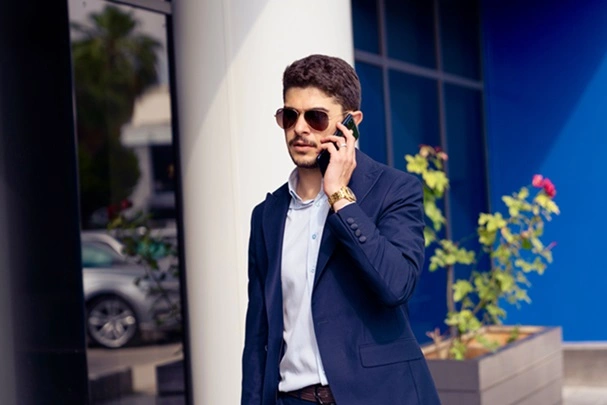
In the modern corporate ecosystem, distraction is the single greatest tax on cognitive performance. The average knowledge worker handles a relentless influx of emails, Slack messages, calendar updates, and task alerts. Paradoxically, the very tool designed to keep us connected—the smartphone—has become our primary source of fragmentation. Picking up a phone to check an incoming notification often leads to mindless scrolling through social media or news feeds, derailing focus and fracturing deep work cycles.
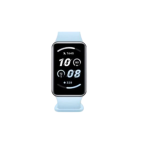
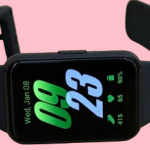
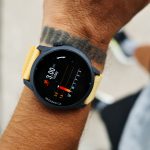
Smartwatches for professionals solve this challenge by acting as a strict digital filter. By shifting critical alerts from your phone to your wrist, these devices let you triage communication instantly, streamline time management, automate workflows, and sustain peak mental performance without breaking your focus. When properly configured, a premium smartwatch transitions from a casual accessory to an essential piece of professional infrastructure.
Here is a comprehensive breakdown of how to leverage wearable technology to optimize your daily workflow and protect your attention span.
1. The Power of Micro-Triage: Filtering Communication at a Glance
The primary productivity benefit of a professional smartwatch is its ability to handle micro-triage. Instead of pulling out your phone for every vibration—an action that takes your eyes off your primary monitor and breaks cognitive momentum—a quick glance at your wrist lets you evaluate an incoming alert in less than two seconds.
      [ INCOMING NOTIFICATION ]
                  │
                  ▼
         ( Wrist Vibration )
                  │
        ┌─────────┴─────────┐
        ▼                   ▼
 [ Actionable/Urgent ]     [ Low-Priority/Spam ]
  ∙ Client Call             ∙ Casual Email
  ∙ Critical Slack Ping     ∙ App Update
        │                   │
        ▼                   ▼
 ( Immediate Response )    ( Ignore / Archive )
   - Quick Voice Reply       - Drop wrist back down
   - Defer to Blocked Time   - Return to deep work
Strategic Notification Whitelisting
To turn your smartwatch into a productivity tool rather than a distraction multiplier, you must configure a strict notification firewall.
- The Rule of Essentiality: Deactivate notifications for all social media, non-urgent news apps, e-commerce platforms, and casual chat groups.
- The Elite Whitelist: Only allow high-priority alerts to pass through to your wrist. This includes calendar meeting reminders, direct pings from your team leader or key clients on professional communication channels, and VIP emergency phone numbers.
- The Result: When your wrist vibrates, your brain recognizes it not as generic digital noise, but as an actionable event requiring brief attention.
Frictionless Quick Replies
When a high-priority message does require a fast response, smartwatches let you reply without accessing your phone. Utilizing high-accuracy voice-to-text dictation or preset smart replies (e.g., “In a meeting, will follow up at 2 PM”), you can acknowledge a colleague’s request during a seminar or while walking between offices, maintaining professional momentum.
2. Temporal Mastery: Calendar Integration and Time-Blocking
Time is a professional’s most valuable asset. Mainstream smartwatches integrate deeply with enterprise scheduling suites like Microsoft Outlook and Google Calendar, transforming your wrist into a personal assistant.
Complications as Active Agendas
In horology, a “complication” refers to any feature on a watch face that goes beyond telling the time. For professionals, the most critical complication is the Modular Calendar Feed. By pinning your upcoming agenda directly to your main watch face, a glance shows you exactly how many minutes remain in your current deep-work sprint and what your next commitment is. This prevents meeting oversight without requiring you to open separate desktop applications.
Tactical Haptic Reminders
A subtle haptic vibration against your wrist is a much more professional indicator that a meeting is approaching than an audible phone alarm. You can configure your device to vibrate five minutes before a scheduled call, giving you a discrete cue to wrap up your current task, gather your notes, and transition smoothly to the next commitment.
3. Optimizing Executive Function: Wearable Task and Notes Automation
Beyond communication, modern smartwatches serve as excellent nodes for task management and rapid ideation. High-performing professionals often experience creative breakthroughs or recall urgent tasks while away from their desks—whether commuting, exercising, or grabbing coffee.
 ┌────────────────────────────────────────────────────────┐
 │            PROFESSIONAL WEARABLE APPLICATION SUITE     │
 ├────────────────────────────────────────────────────────┤
 │ 📑 Task Capturing  │ Capture sudden action items using  │
 │                    │ Todoist or TickTick voice input.   │
 ├────────────────────┼────────────────────────────────────┤
 │ 🎙️ Rapid Dictation  │ Record spontaneous concepts directly│
 │                    │ to Apple Notes or Google Keep.     │
 ├────────────────────┼────────────────────────────────────┤
 │ ⏱️ Pomodoro Sprints│ Track focused work intervals using │
 │                    │ haptic, wrist-based timers.        │
 └────────────────────┴────────────────────────────────────┘
Frictionless Task Capturing
By using dedicated task complications from applications like Todoist or TickTick, professionals can use voice input to log a task the second it comes to mind (e.g., “Remind me to review the Q3 financial audit tomorrow morning”). This clears cognitive load, allowing you to return to your current activity knowing the thought is securely captured in your central task manager.
Voice-to-Text Meeting Memorandums
For field professionals, executives, or real estate specialists who spend time away from a desk, dedicated voice memo tools on the wrist are invaluable. Recording a quick wrap-up summary immediately after a client meeting allows you to capture key details, commitments, and action items instantly, which can later be synced to your CRM platform.
4. The 2026 Professional Smartwatch Blueprint
Choosing the right device depends heavily on your existing hardware ecosystem and operational environment. The table below outlines the leading enterprise options across primary platforms:
| Feature Dimension | Apple Watch Series 10 / Ultra 2 | Samsung Galaxy Watch 7 / Ultra | Garmin Venu 3 Series |
|---|---|---|---|
| Primary Ecosystem | iOS Exclusive (iPhone) | Android / Samsung Galaxy | Platform Agnostic (iOS & Android) |
| Enterprise Strengths | • Seamless Mac unlock feature • Advanced Siri shortcuts • Exceptional voice dictation | • Deep Microsoft 365 syncing • Bixby/Google Assistant choice • Rich multitasking UI | • Exceptional 14-day battery life • Body Battery energy tracking • Stress & focus monitoring |
| Productivity Style | Fast-paced, high-connectivity ecosystem integration. | Flexible communication hub with rich widget arrays. | Focuses on energy conservation and cognitive stamina. |
| Battery Life | 18 to 36 Hours (Daily charging) | 24 to 40 Hours (Daily charging) | 5 to 14 Days (Intermittent charging) |
5. Cognitive Stamina: Health Monitoring as a Career Asset
Professional productivity is directly tied to physical health. High-stress corporate environments, poor sleep, and extended sedentary behavior can cloud judgment and sap motivation. Premium smartwatches monitor your physical state behind the scenes, helping you maintain peak cognitive performance throughout the workweek.
Sedentary Alerts and Stress Tracking
Sitting for hours on end lowers metabolic rates and can induce cognitive fatigue. Professional wearables monitor periods of inactivity and deliver quiet reminders to stand, stretch, or walk for a minute.
Furthermore, by tracking heart rate variability (HRV) and skin temperature patterns, modern smartwatches can detect elevated stress levels. When stress peaks during an intense project or meeting, the device can suggest brief, structured breathing exercises to reset your nervous system and restore mental clarity.
Sleep Optimization and Cognitive Readiness
Success during a demanding 9-to-5 workday begins during the preceding 11-to-7 sleep cycle. Advanced sleep telemetry scores your deep, light, and REM sleep phases. Platforms like Garmin take this a step further with features like Body Battery, which combines sleep data, stress tracking, and activity metrics into a simple score out of 100. This score tells you whether your body is primed for a high-stakes presentation or if you should focus on restorative tasks to avoid burnout.
6. Implementation Checklist: Setting Up Your Device for Peak Performance
To ensure your smartwatch operates as a true productivity driver rather than an expensive distraction, follow this setup routine:
- Activate “Do Not Disturb” Syncing: Link your watch’s focus modes to your smartphone and laptop. When you activate deep-work mode on your computer, your watch should automatically silence all non-essential notifications to protect your focus.
- Designate a Utility Watch Face: Create a clean, professional watch face dedicated strictly to working hours. Remove all fitness rings or casual widgets. Instead, feature your calendar feed, a shortcut to voice memos, and world clocks if you manage teams across multiple time zones.
- Master Gesture Controls: Learn your device’s hand gesture commands. Features like double-tapping your index finger and thumb to answer a call or silence an alarm allow you to control your device hands-free while typing, writing, or presenting.
- Utilize Wearable Identity Verification: If you work within a secure corporate environment, use your watch’s biometric integration to automatically unlock your laptop or office security gates. This eliminates the minor daily friction of entering passwords and handling keycards repeatedly.
Conclusion
A smartwatch is only as productive as the configuration constraints you place upon it. By implementing strict notification boundaries, pinning your agenda to your wrist, and using voice automation tools, you transform a simple notification hub into an efficient executive assistant. It allows you to stay connected to what matters most in your organization while protecting your attention for the high-value work that drives your career forward.
To help tailor this professional wearable strategy to your specific workflow, please share:
- What smartphone operating system (iOS or Android) do you currently use for your professional work?
- What is your primary profession or the daily tasks you look to streamline (e.g., managing client meetings, coding, field sales, or writing)?
- Do you prioritize maximum app connectivity or an extended battery life that minimizes charging interruptions?